Quick answer: Enterprise mobility means giving staff secure access to company apps, email and files on phones, tablets and laptops, with the devices managed through tools such as mobile device management (MDM) or enterprise mobility management (EMM). It pays off in faster approvals, fewer lost devices and less paperwork, but only when security and device policy are set up before the rollout.

Phones and tablets now do work that used to need a desk and a printer: approving purchases, checking stock, filing reports from site visits. Enterprise mobility is the set of tools and rules that make that safe. This guide explains what it covers, where it pays off, and how to roll it out without creating a security mess.
What enterprise mobility covers
Three terms come up most often, and they are not interchangeable:
- Mobile device management (MDM) controls the device itself: enrolment, passcode rules, encryption, and remote lock or wipe.
- Mobile application management (MAM) controls company apps and data without taking over the whole phone. This is the usual choice for personal devices used for work.
- Enterprise mobility management (EMM) is the wider package: MDM, MAM, identity and single sign-on together.
If you are choosing a platform, Microsoft's Intune overview is a useful reference for how these pieces fit together.
Where it pays off
The gains are most visible in work that happens away from a desk:
- Approvals and sign-offs can happen on the spot instead of waiting for someone to return to the office.
- Field service and inspections can record photos, checklists and signatures directly in the job record.
- Inventory and stock checks can use a phone's barcode scanner instead of paper counts.
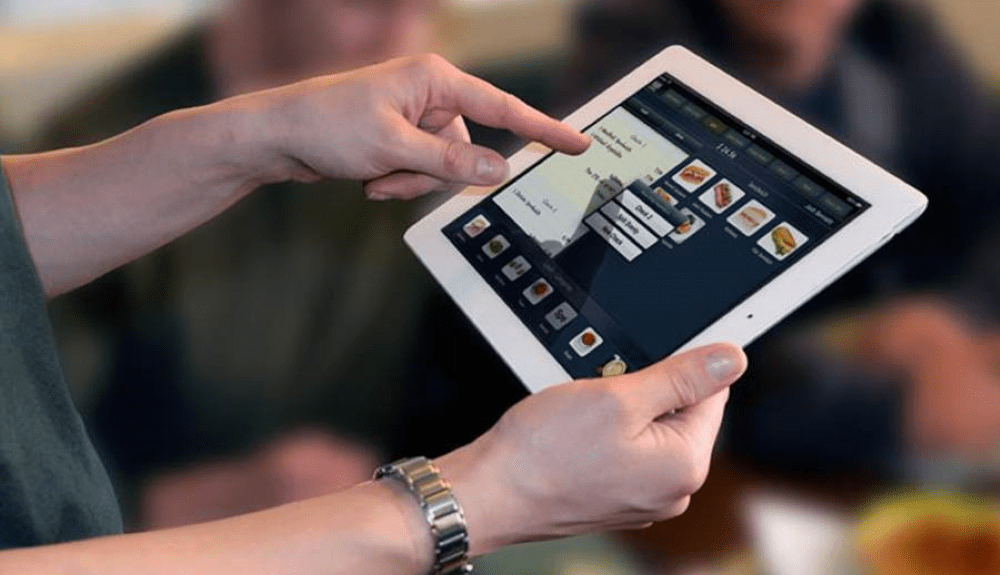
- Customer-facing staff can look up orders, histories and account details while talking to the customer.
Manufacturing and logistics see the same pattern. Tracking a part or a pallet from a phone is faster and less error-prone than writing it down and typing it in later.
How to roll it out
1. List the jobs that are slowed down by paper or a desk. Start with one or two, not the whole company.
2. Pick an ownership model. Company-owned devices give you full control. Bring-your-own-device (BYOD) needs app-level management and a clear privacy notice for staff.
3. Choose your management platform. Apple's Business Manager and Android Enterprise cover the two main phone platforms. Microsoft Intune and similar tools manage both from one console.
4. Set a security baseline. Require a passcode, enable encryption, allow remote wipe, and limit which apps can open company data.
5. Pilot with one team for about 30 days. Measure time to complete a task, lost-device incidents and support tickets before and after.
6. Expand and retrain. Only roll out to the next team once the pilot numbers show a clear gain.
Common mistakes
- Buying devices before defining the process. A device does not fix a broken approval chain.
- Using one policy for every role. A warehouse scanner and a sales laptop need different rules.
- Forgetting offboarding. Revoke app access and wipe work data as soon as someone leaves. Many breaches start with an old account nobody closed.
What has changed since the earlier version
The 2023 version of this article described MDM and EMM as upcoming services. They are now standard, and most businesses that use phones for work already run one of them. The bigger change is that BYOD and app-level management have become normal, so policy design matters more than the choice of device.
Frequently asked questions
Is enterprise mobility only for large companies?
No. Small teams can start with the built-in tools on Apple and Android devices, plus a low-cost management service. The rollout steps are the same at any size; only the number of devices changes.
What is the difference between MDM and EMM?
MDM manages the device. EMM adds app management, identity and access controls on top. If you only need to lock down company-owned phones, MDM may be enough. If staff use personal phones for work, you usually need EMM.
Does enterprise mobility mean employees are monitored?
It can, but only what the policy allows. On BYOD phones, a well-designed setup manages only the work apps and data. Tell staff what is managed before you enrol their devices.